
Chapter 2 · 2.7
Review, confirm and check out
Watch it in a short video
In the last step, Review and pay, you check your order one more time. Then you confirm and move on to payment.

Check your order
- Your details are shown at the top. Is something not right? Click Change (1).
- On the right, under Your order, you'll see what you're ordering, including VAT and the total for the first year. Below that, you'll see what you'll pay after the first year.
Confirming
- Tick Ik ga akkoord met de algemene voorwaarden. (2) Use the link to read the terms and conditions first.
- Are you ordering a domain as a private individual? Then you'll also see a tick box about the right of withdrawal (3). As soon as we register or transfer your domain, you can no longer withdraw from that domain name. For your other products, you still have 14 days as a consumer to change your mind.
- If you're not logged in, you'll also do a quick check to confirm you're not a robot (4). This usually happens automatically. Otherwise, tick Ik ben geen robot.
- Click Order and pay (5). This button only works once all the boxes are ticked.
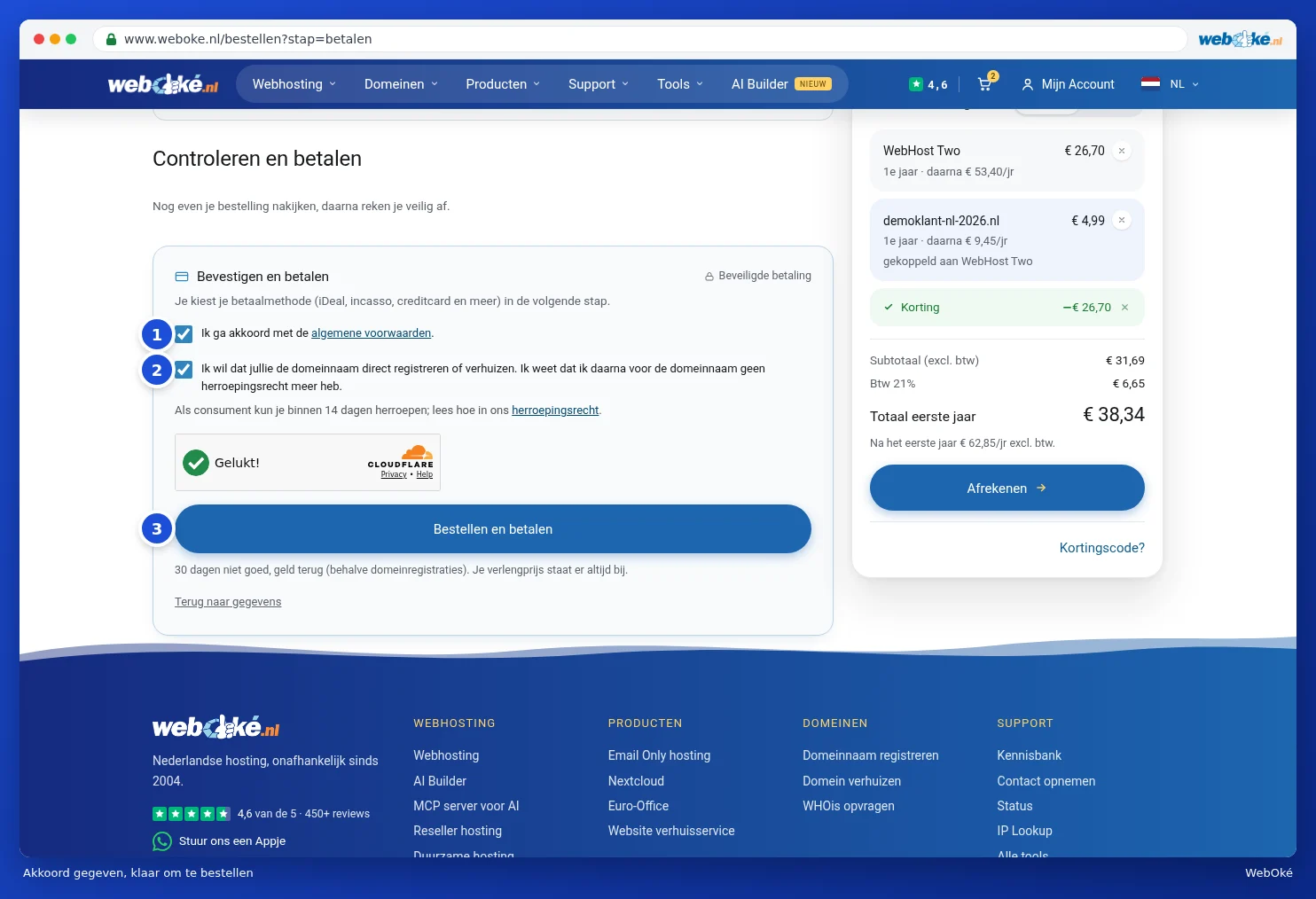
You choose your payment method on the next page, see Paying: payment methods, bank transfer and credit balance.
What happens when you click Order and pay?
- If you're new, we'll create your My WebOké account. You'll then be logged in straight away.
- We create your order and the invoice. You'll receive an order confirmation by email.
- You'll arrive at the payment screen.
Tip: at WebOké, we offer a 30 day money back guarantee. This doesn't apply to domain registrations.
Please note: do you see the message De anti-robotcontrole is niet gelukt? Refresh the page and try again. If it still doesn't work, please contact us, see Getting help: AI assistant, knowledge base, explainer videos, support and WhatsApp.