
How do I access the control panel (DirectAdmin) of my hosting package?
With WebOké you manage your hosting package in DirectAdmin: email addresses, databases, FTP, DNS and more. You log in from My WebOké, without a separate password. Doesn't DirectAdmin open? Further on you'll read what to do then.
How to open DirectAdmin
- Log in to My WebOké.
- Click My Products in the menu.
- Click the DirectAdmin button next to your hosting package. A new tab opens and you're immediately logged in on the right server.
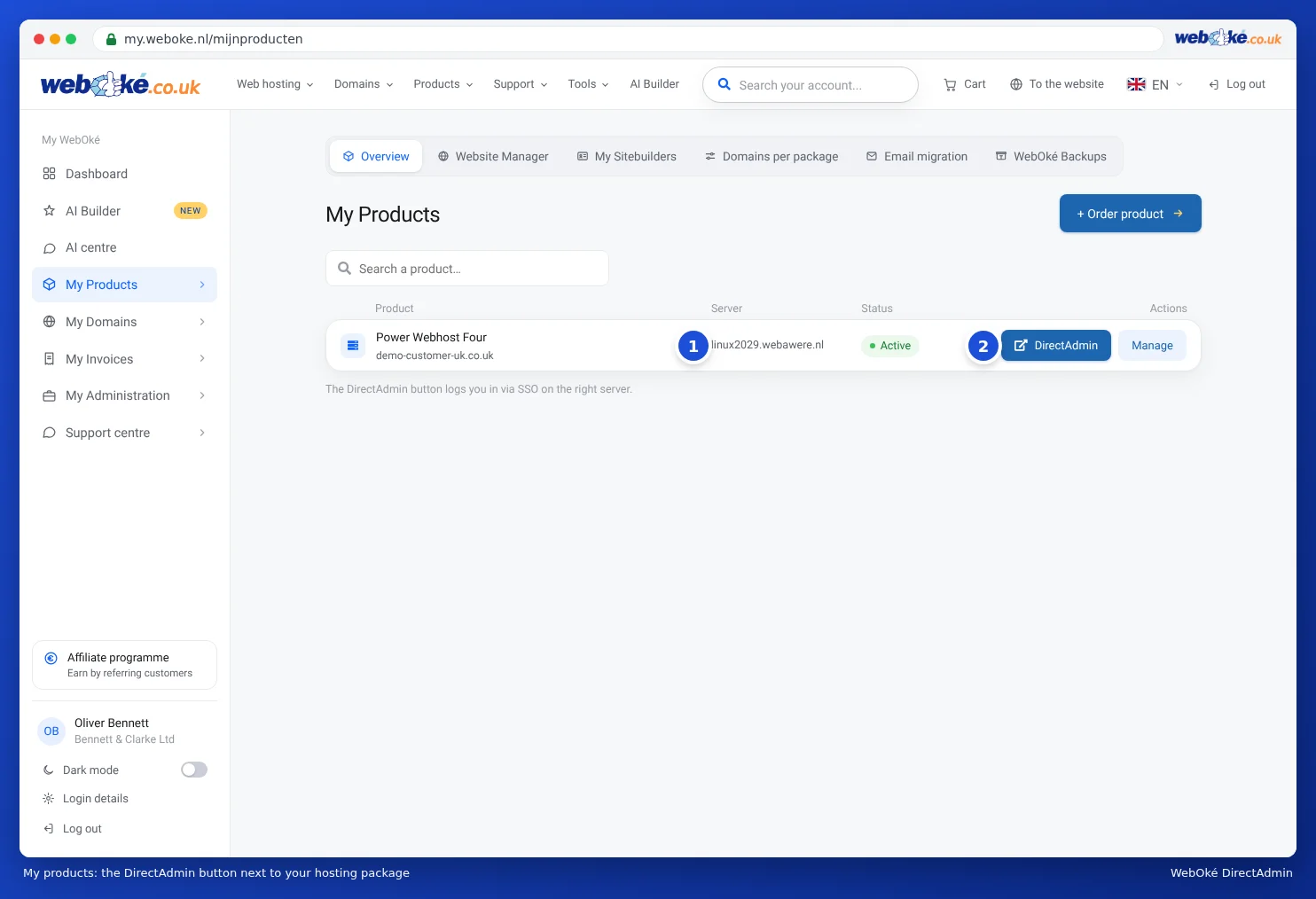
If you click Manage next to the package, you'll find the Go to DirectAdmin button there. That page also shows your server name, your DA username, your usage, and the block for changing your DA password.
Other ways
- Directly via https://servername:2222, with your DA username and DA password.
- Via your own domain: www.yourdomain.nl/config, once your domain points to our server.
- Via the AI assistant: ask to log in and click Log in to DirectAdmin.
DirectAdmin not opening?
Go through these steps in this order.
- Is there an outage? Check the status page. If there's a notice for your server, we're already working on it. You don't need to create a ticket. See Outages and maintenance: the status page.
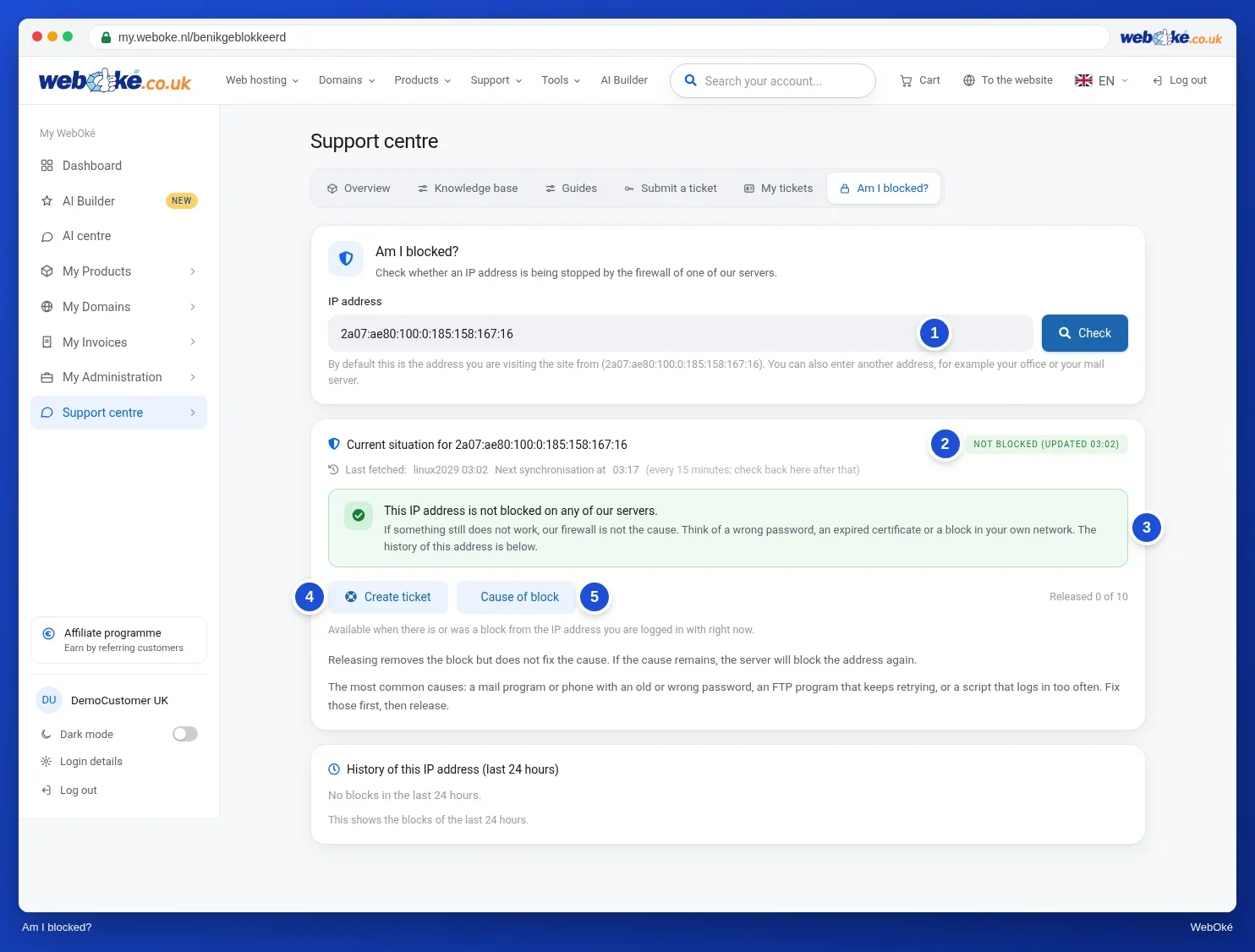
- Is your IP address blocked? Do DirectAdmin, your website and your mail suddenly all stop working from your internet connection, but still work on your phone via 4G or 5G? Then our firewall is probably blocking your IP address, usually caused by a mail program with an old password. Check it and unblock it yourself at Am I blocked? Then first correct the password in the program that caused the block. More explanation: Am I blocked? Your IP address and our firewall.
- Try a different login route. Are you using the address with
:2222? On some networks, such as at companies, schools, or public wifi, port 2222 is closed. In that case, log in via the button in My WebOké. Does the button no longer work, or are you immediately logged out? The login link only works once and the session expires after 60 minutes: simply click DirectAdmin again in My Products. - Is your password not accepted? Use your DA username, not your email address or your domain name. Your mailbox password won't work in DirectAdmin. If in doubt, set a new DA password, see How do I change the password of the DirectAdmin control panel?
- Don't see a DirectAdmin button? Then your package isn't active (check My Invoices to see if there's an outstanding invoice), it's not a hosting package, or you're logged in as an extra user without the right permissions.
Still not working after that? Create a ticket via Support Center › Submit ticket. Mention which package it concerns, how you're trying to log in, and what message you see.
Also see in the DirectAdmin manual: Three ways to log in, Logging in directly on port 2222 and Solving login problems.
Detailed explanation with screenshots: Logging in via My WebOké in the DirectAdmin manual.