
Emails from ICANN or the registry about your domain: real or fake, and what should you do?
If you have a domain such as .com, .net or .org, you'll occasionally receive emails referring to ICANN, the international organization for domain names. Some emails really need to be acted upon, others are just for information, and some are fake. Here you can read what each email means.
1. Confirm your email address: do respond
For many extensions, the email address of the domain holder must be confirmed once. This happens after a new registration, a transfer, or a change of holder. You'll receive an email with a confirmation link and a validation code. In addition, you'll receive the email Action required: confirm your email address for yourdomain.com from us.
- Click the link in the email with the validation code. Also check your spam folder.
- Or go to www.weboke.nl/en/icannverificatie and enter the validation code there.
2. Annual reminder of your details: no need to respond
According to ICANN's rules (the Whois Data Reminder Policy), the registrar must show you at least once a year which details your domain is registered with. This email is in English and starts roughly like this:
This message is a reminder to help you keep the contact data associated with your domain registration up-to-date.
According to ICANN's Whois Data Reminder Policy, a registrar must present - at least annually - to the registrant the current Whois information ...
DOMAIN: YOURDOMAIN.COM
RSP: Webawere Internet Solutions BV
URL: https://www.weboke.nl/en
This email is genuine. You don't need to respond to it. If the details are incorrect, update them in My WebOké: go to My Domains, click on your domain, and in the Domain Contacts card choose Edit.
3. Notification about expiration or renewal: payment always goes through WebOké
If your domain is about to expire or needs to be renewed, you'll receive an email about this from WebOké. You only renew and pay for a domain via your invoice from WebOké in My Invoices. If you want to be sure your domain doesn't expire, turn on automatic renewal. See Renewing and automatic renewal.
4. Approving a transfer
If you transfer a domain such as .com or .net, you'll receive an email in which you can approve or reject the transfer. If you approve it, the transfer proceeds immediately. If you do nothing, the transfer will be carried out automatically after 5 days. Didn't request a transfer yourself? Then reject it and contact us.
How to recognize a fake email
- You're asked to pay via a link in the email, while at WebOké you always receive an invoice in My WebOké.
- There are threats that your domain will expire or be deleted today.
- The link goes to an unknown website instead of weboke.nl or your registry's page.
- You're asked to log in with your password, or you receive an offer for "domain registration in search engines" or SEO.
- The email is about a domain you don't own, or comes from a company you're not a customer of.
Not sure? Don't click on links in the email, but check it yourself in My WebOké.
Checking in My WebOké
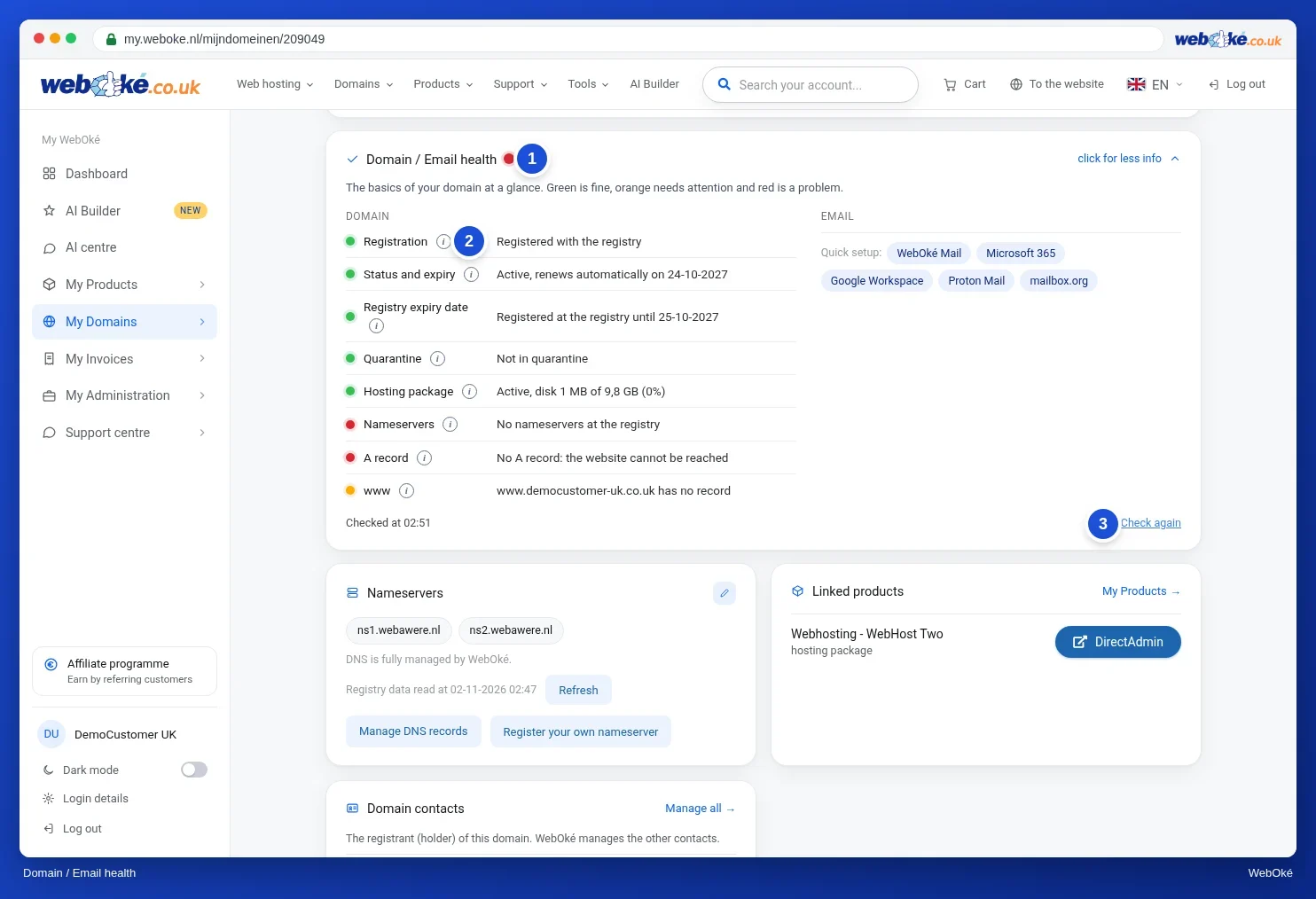
Go to My Domains and click on your domain. In the Domain / Email health card, you can see under Holder confirmation whether the holder's email address still needs to be confirmed, and under Status and expiration until when your domain runs. Lost the confirmation email? Then click Resend confirmation email.
You can also ask the AI assistant in My WebOké, for example: "Do I still need to confirm the email address for yourdomain.com?"
Detailed explanation with screenshots: Domain contacts and changing the owner and Domain and email health: checking and fixing in the WebOké manual.
You might also like to read: The History of the Domain Name